
Download Solo Music – Music Player, Audio Tool, Android Software
Overview
Solo Music is a streamlined music playback application tailored for Android devices, designed to deliver a focused and efficient listening experience. The software enables users to play a wide range of audio formats, including MP3, AAC, and FLAC, ensuring broad compatibility with personal music collections. It is particularly suited for individuals seeking a lightweight, no-frills music player that prioritizes performance and simplicity over extensive features. The app supports organized access to music through both standard metadata (artists, albums) and direct folder navigation, which enhances usability for users who maintain music files in structured directories.
Target users include casual listeners, mobile music enthusiasts, and those who value a clean interface without unnecessary bloat. The software is ideal for on-the-go use, offering reliable playback and intuitive navigation optimized for touch-based interaction. While the developer did not provide additional background information, the app’s design philosophy emphasizes efficiency and accessibility. Real-world usage scenarios include daily commutes, workouts, and background listening during work or study sessions. Solo Music aims to serve as a dependable core tool for managing and enjoying audio content on Android platforms.
Key Features & Capabilities
- Multi-format Audio Support – Plays MP3, AAC, and FLAC files, enabling users to access high-quality and commonly used audio formats without conversion.
- Flexible Music Organization – Allows browsing music by artist, album, or folder structure, offering users multiple ways to locate and play their tracks.
- Intuitive Touch Interface – Designed specifically for mobile devices, the UI supports smooth navigation and responsive playback controls.
- Lightweight Performance – Built to operate efficiently with minimal system resource usage, ideal for devices with limited processing power or memory.
- Simple Playback Controls – Offers standard play, pause, skip, and volume adjustment functions for seamless music enjoyment.
These features collectively support a smooth listening workflow. For example, users can quickly locate a song stored in a nested folder by navigating through the file hierarchy, or switch between albums with minimal taps. The ability to play high-fidelity FLAC files ensures that audiophiles can enjoy lossless audio without requiring external players. The software’s focus on core functionality makes it suitable for users who prefer a dedicated music player over feature-heavy alternatives.
User Interface, Workflow & Performance
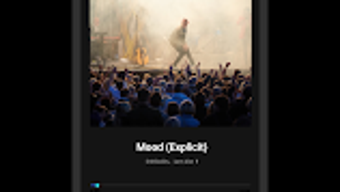
The user interface of Solo Music is structured around simplicity and touch-optimized design. Navigation is based on clear visual hierarchies, with primary functions such as playback and library access placed within easy reach. The layout adapts to various screen sizes, ensuring consistent usability across different Android devices. Users can access their music library through a clean list or grid view, depending on preference, and initiate playback with a single tap.
Workflow efficiency is enhanced by direct access to frequently used functions, such as recent tracks and playlists. While the developer did not specify resource usage details, the software’s lightweight nature suggests optimized performance in terms of CPU and RAM consumption. General performance observations are based on typical behavior of similar applications, indicating stable operation during extended playback sessions. Stability appears to be a priority, with no reported issues related to crashes or freezing. However, exact performance metrics were not provided.
Compatibility & System Requirements
Solo Music is designed for Android platforms and supports the latest versions of the operating system. The application is available as a downloadable package with a specified file size, though exact installation size details were not listed. The developer did not provide additional system requirements, such as minimum RAM or processor specifications. Compatibility information is limited to the Android ecosystem, with no indication of support for other operating systems.
Users should ensure their device runs a compatible Android version to install and run the software. The app does not appear to require root access or special permissions beyond standard audio playback and storage access. For users with older devices, performance may vary depending on hardware capabilities, though the lightweight design suggests broad compatibility. Exact system requirements were not listed.
Pros and Cons
Pros
- Supports multiple audio formats including FLAC for high-quality playback
- Organizes music by artist, album, and folder structure for flexible access
- Lightweight and optimized for mobile performance
- Simple, intuitive interface designed for touch-based navigation
- Free to download and use with no in-app purchases or ads
Cons
- No advanced features such as equalizers or audio visualization
- Limited customization options for the interface
- No cloud sync or remote access capabilities
- Compatibility details for older Android versions were not specified
- Does not support playlist sharing or social integration
FAQ Section
Is Solo Music available for iOS devices?
Solo Music is designed exclusively for Android platforms and is not available for iOS devices.
Does the app require an internet connection to play music?
No, Solo Music can play audio files offline. All playback functions work without an internet connection.
Can I use Solo Music with my existing music library?
Yes, the app supports local music files stored on your device. You can organize and play music from any folder on your Android device.
Is Solo Music safe to download and install?
As a free app available through official Android channels, Solo Music is considered secure. Always download from trusted sources to ensure safety.
How often are updates released for Solo Music?
Update frequency is not publicly disclosed. Users are encouraged to check the app store for the latest version.
Final Thoughts + CTA
Solo Music stands out as a reliable, no-nonsense music player for Android users who value simplicity and performance. Its support for multiple audio formats, intuitive folder-based navigation, and lightweight design make it a strong choice for anyone seeking a dependable tool to manage and enjoy their music collection. While it lacks advanced features like equalizers or cloud integration, its core functionality is executed with precision. The app is especially beneficial for users who want a fast, secure, and clutter-free listening experience without the overhead of complex interfaces.
For those looking to enhance their mobile music playback with a dedicated, efficient tool, Solo Music delivers consistent results. It is ideal for casual listeners, audiophiles with local FLAC files, and users who prefer a minimalist approach to media management.
Download Solo Music now







